Building Nazsats AI Builder: One Sentence to a Storefront
Nazsats AI Builder turns a sentence into a complete UAE storefront in twenty seconds. The interesting part isn't the speed — it's that the model never writes a single line of code.
Type "Create a luxury perfume store for UAE customers", wait about twenty seconds, and get a complete storefront: brand name, colour palette, typography, hero, four categories, eight products priced in AED, plus About and Contact pages. Preview it, edit any field inline, save it.
That's Nazsats AI Builder.
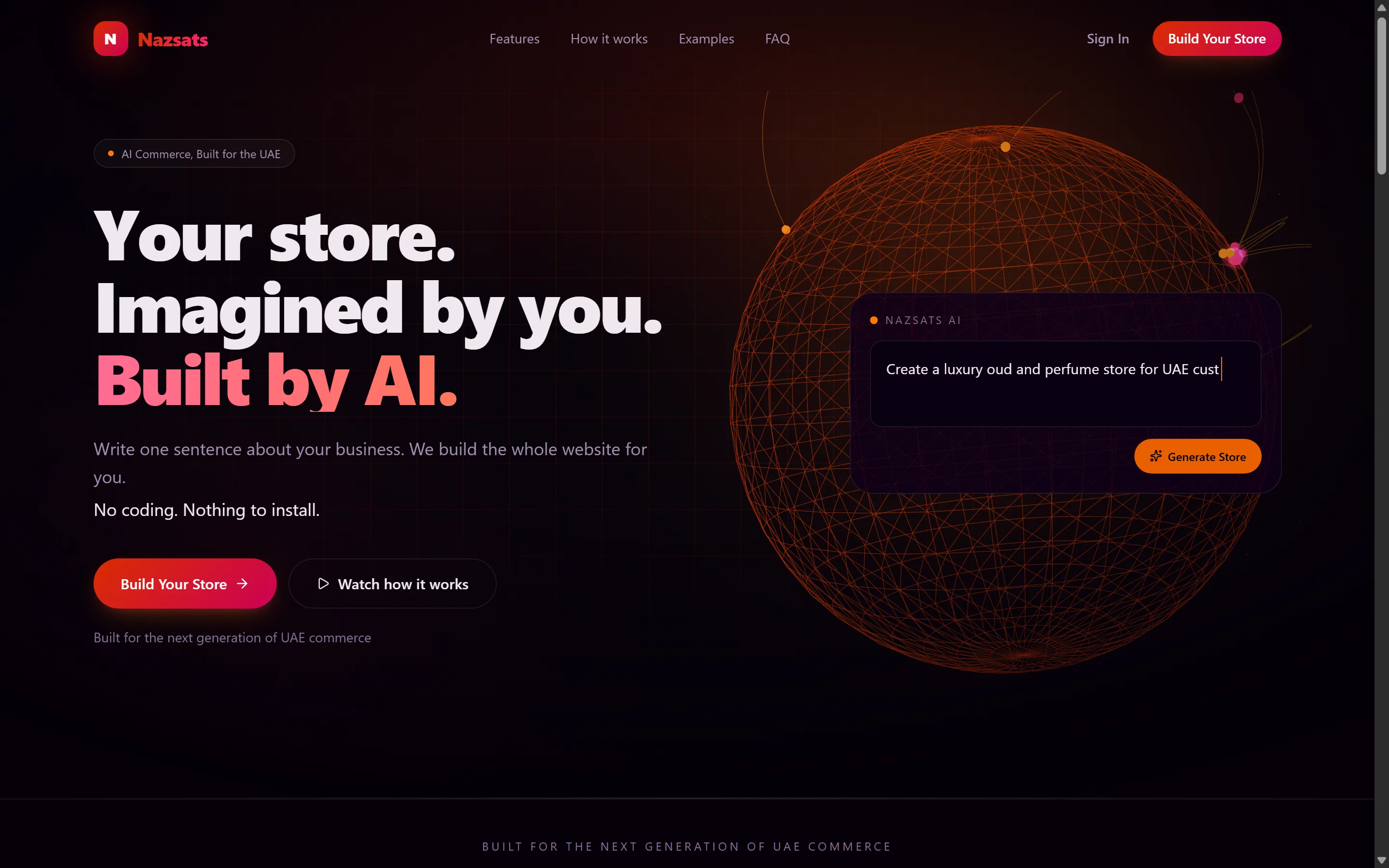
The globe is WebGL, rendering here in a software rasteriser — proof it degrades without a GPU.
Live demo: try it here · Code: github.com/nazsats
First, an honest note on "in a day"
The working product was built on 4 August in 24 commits — monorepo scaffolding in the morning, a generating storefront by the evening. That part is true.
The three days after were tests, documentation, architecture decision records, and retaking every screenshot. Forty commits in total.
I'm saying that plainly because "built in a day" gets thrown around a lot, and the distinction matters: a day to working, three more days to finished. The gap between those two is most of what separates a demo from something you'd hand to a stranger.
The decision the whole thing rests on
Every tool in this space — Lovable, Bolt, v0 — has the model generate React or HTML directly. Ask for a store, get JSX, drop it into a preview.
I didn't do that. Here, the model never produces code. It returns exactly one thing: a
StoreBlueprint — a flat commerce configuration validated against a Zod schema.
prompt → [LLM] → StoreBlueprint → [assembler] → StoreDocument → [renderer] → DOM
          ^                  ^                            ^
   non-deterministic   schema boundary            my code, deterministic
A separate assembler turns that blueprint into an ordered page-and-section tree, and React components render it. The model's output crosses exactly one boundary, and that boundary is a schema.
It sounds like extra work. It buys six things:
Security. Model output is data, never executable. Prompt injection can't produce XSS, because nothing the model returns is ever interpreted as markup or script. For a product rendering stores that belong to tenants I don't control, that isn't a nice-to-have.
Editability. "Change the hero headline" becomes
document.pages[0].sections[0].content.headline = x — a typed state update, not a
search-and-replace through generated markup.
Persistence. The blueprint maps onto real tables — stores, pages, sections, categories, products — instead of sitting in a column as an opaque blob.
Versioning. Undo and redo are snapshots of a small JSON document. Diffs are cheap and restores are exact.
Testability. The whole pipeline runs without an API key. A fixture blueprint exercises the assembler and renderer end to end, which is how a four-day-old project has 83 passing tests.
Provider portability. Swapping OpenAI for Claude or Gemini changes one adapter, because the contract is a JSON schema — not a prose instruction to "write good React".
If you take one thing from this post: when an LLM sits inside a pipeline, make its output data, with a schema at the boundary. Not code. Nearly every problem people hit with generative UI comes from skipping that step.
How it works, step by step
1. Say what you want
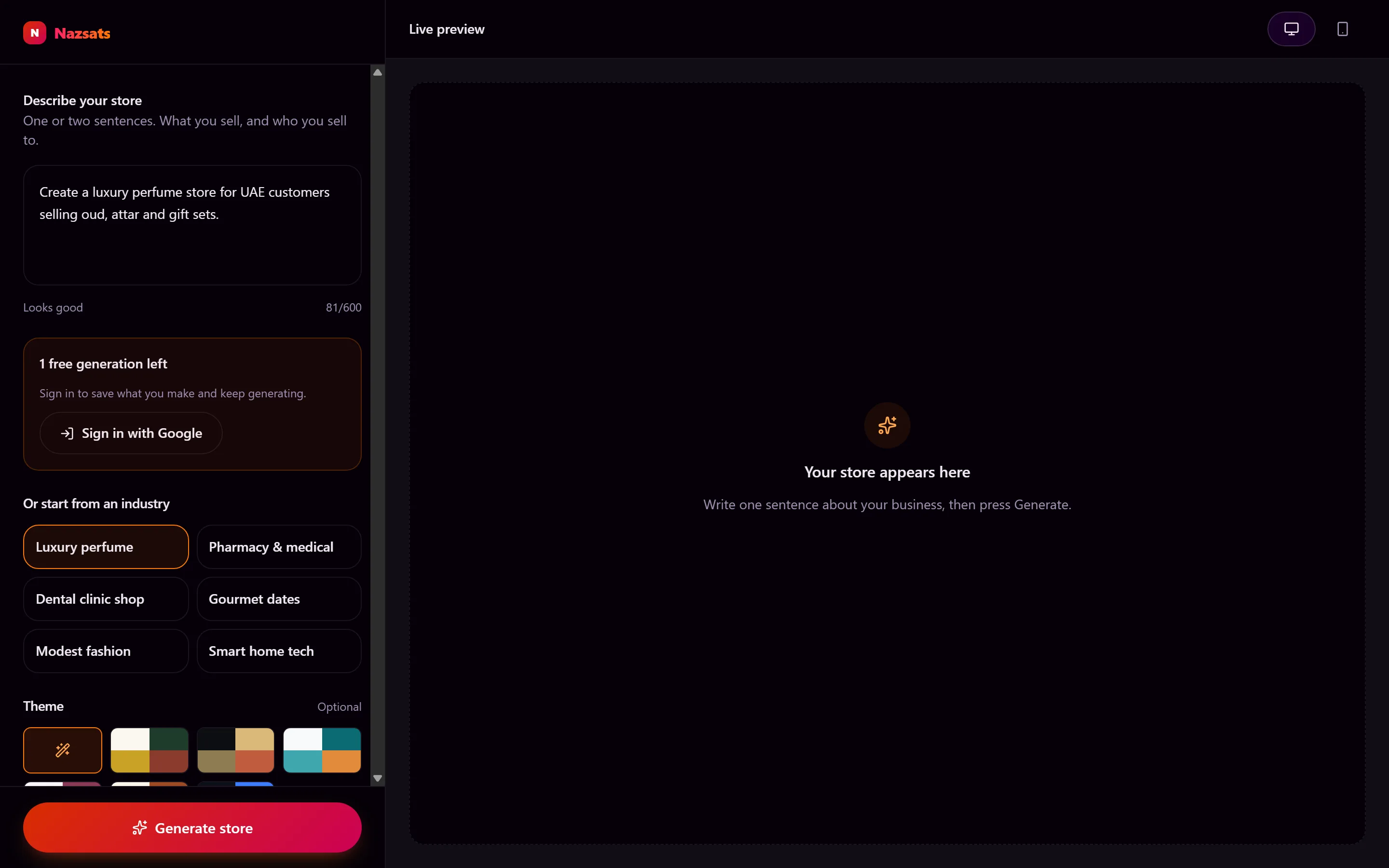
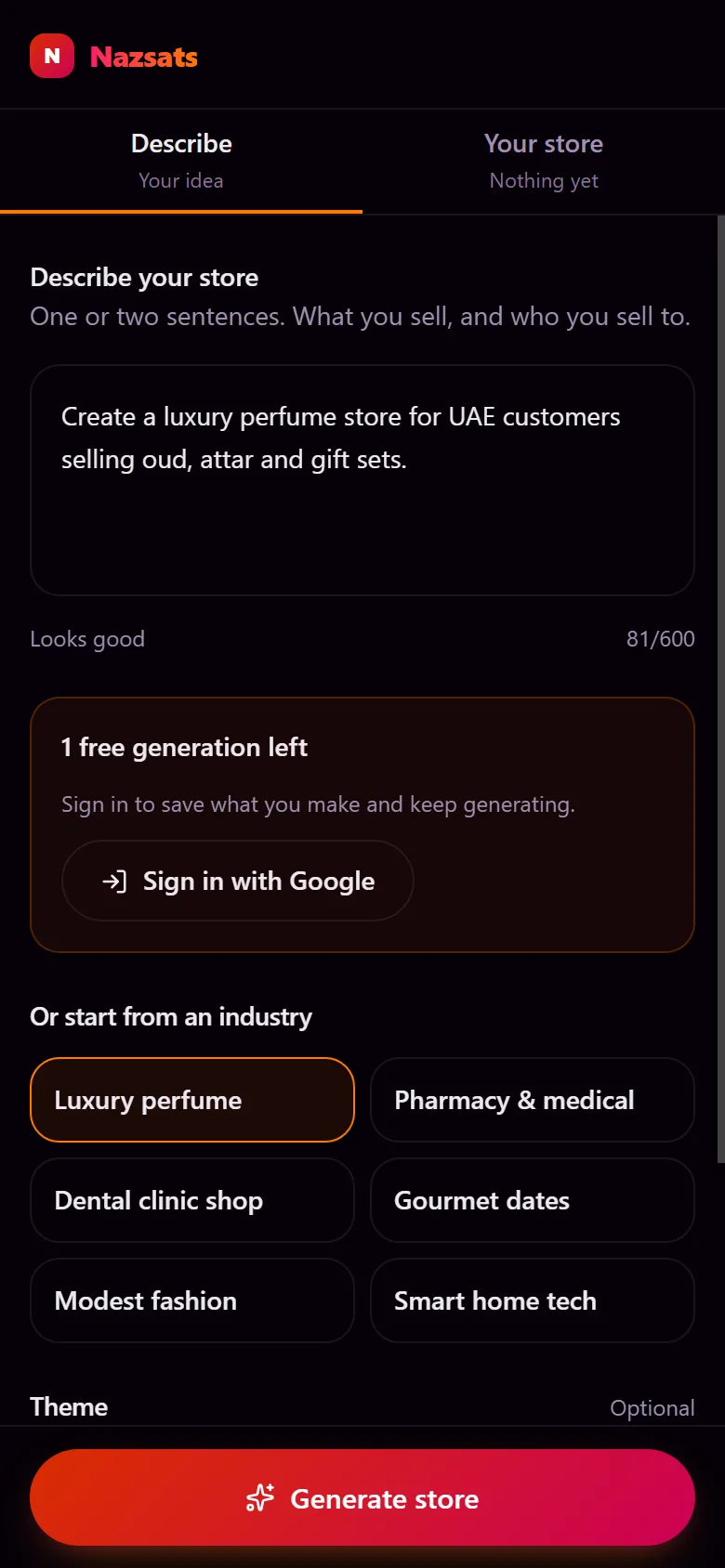
One box, a character count that tells you when you've said enough, six industries to start from, and the themes on offer. Generate is pinned to the bottom of the panel so it can never scroll out of reach.
2. Watch it build
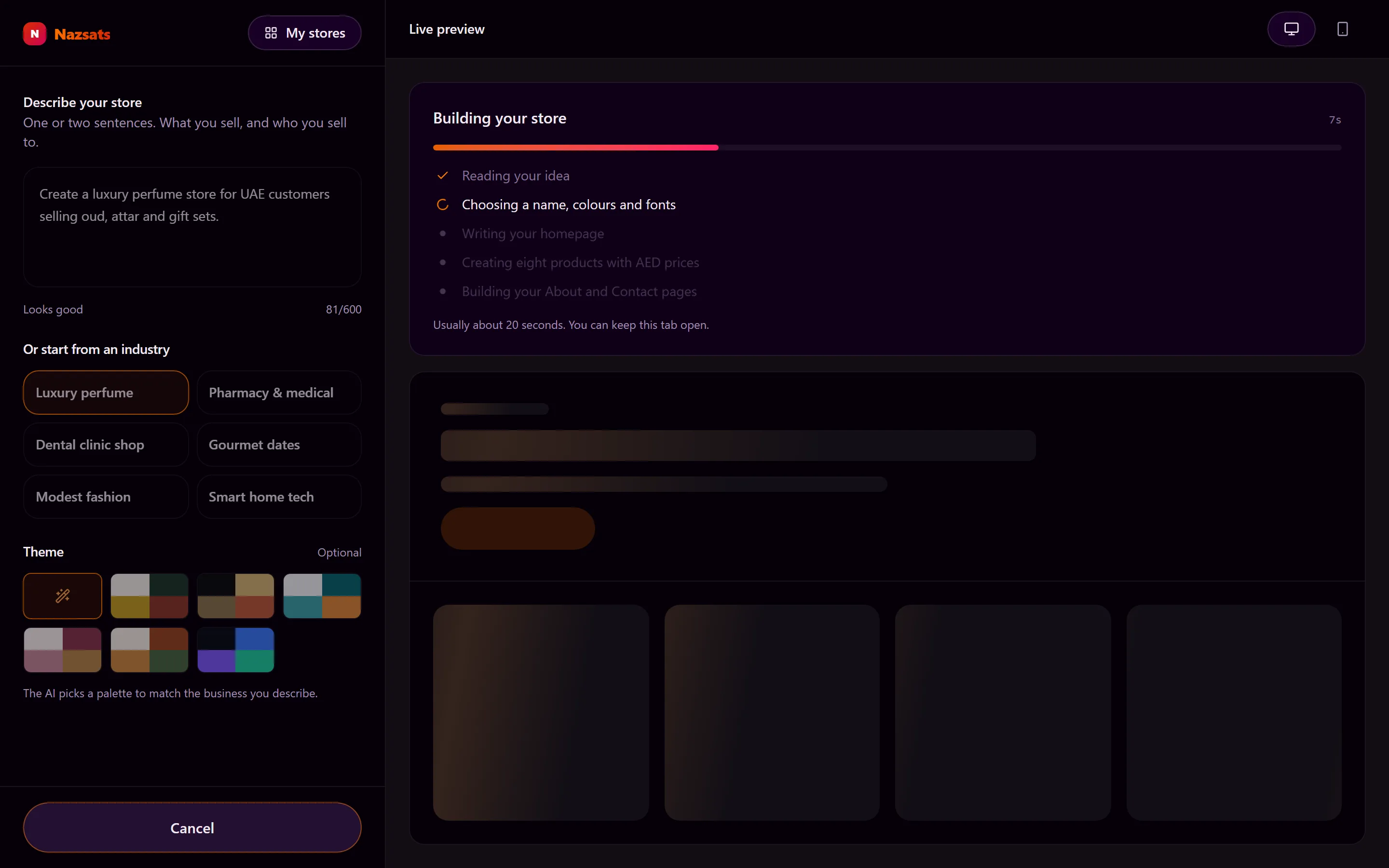
Generation takes about twenty seconds and returns in one shot, so the wait is narrated rather than hidden. Finished steps tick, the current one spins, and the elapsed counter is real.
The progress bar deliberately stops short of full until the answer actually arrives — a bar sitting at 100% while nothing happens is worse than no bar at all.
3. Get a real storefront
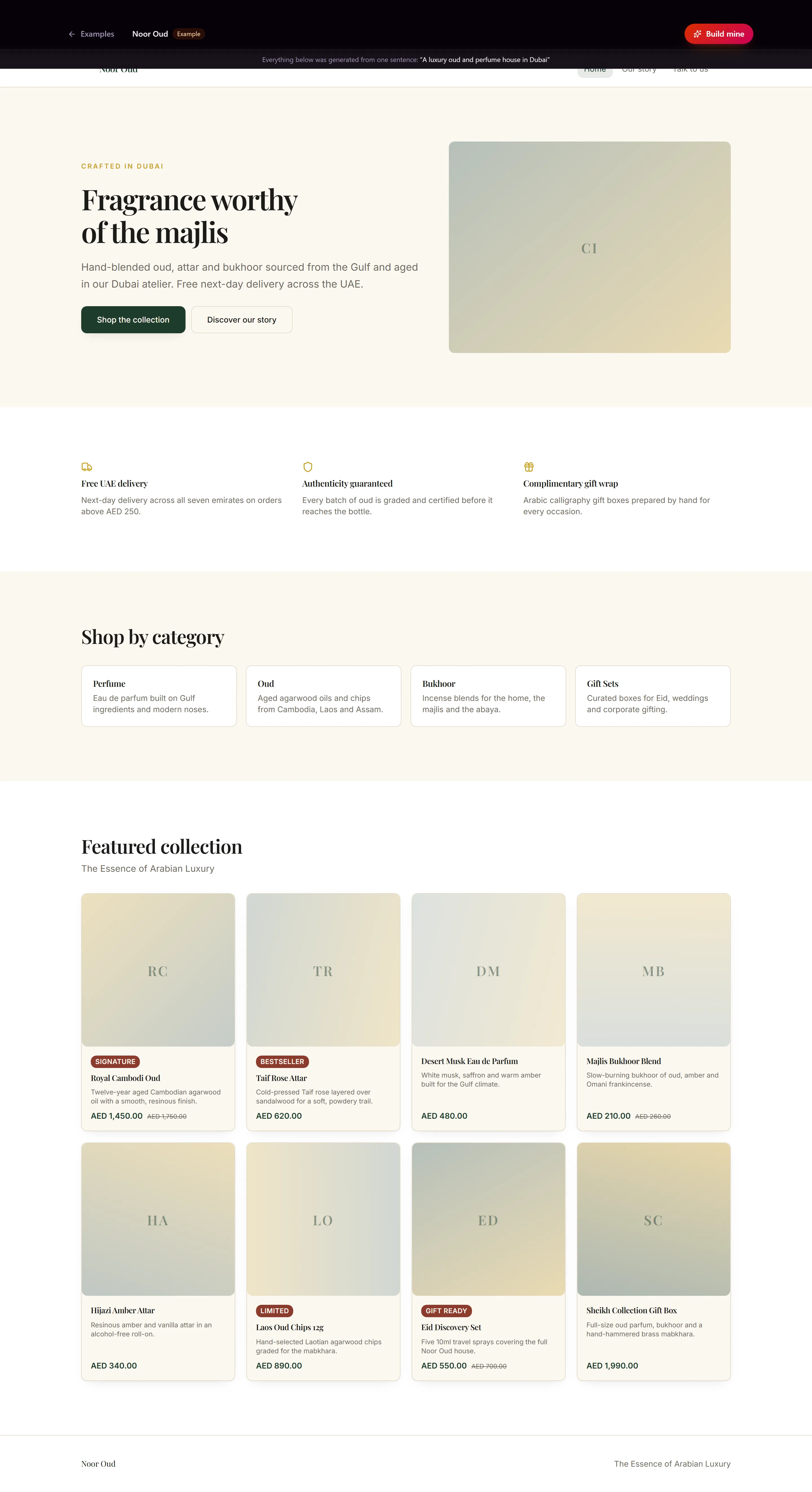
Hero, trust highlights, four categories, eight products — realistic AED pricing, badges, and strike-through compare-at prices. All from one sentence.
4. Open the examples without signing up
Each example on the landing page is a complete storefront at /examples/:slug, drawn by the same
renderer the generator feeds. A visitor sees real output before creating an account.
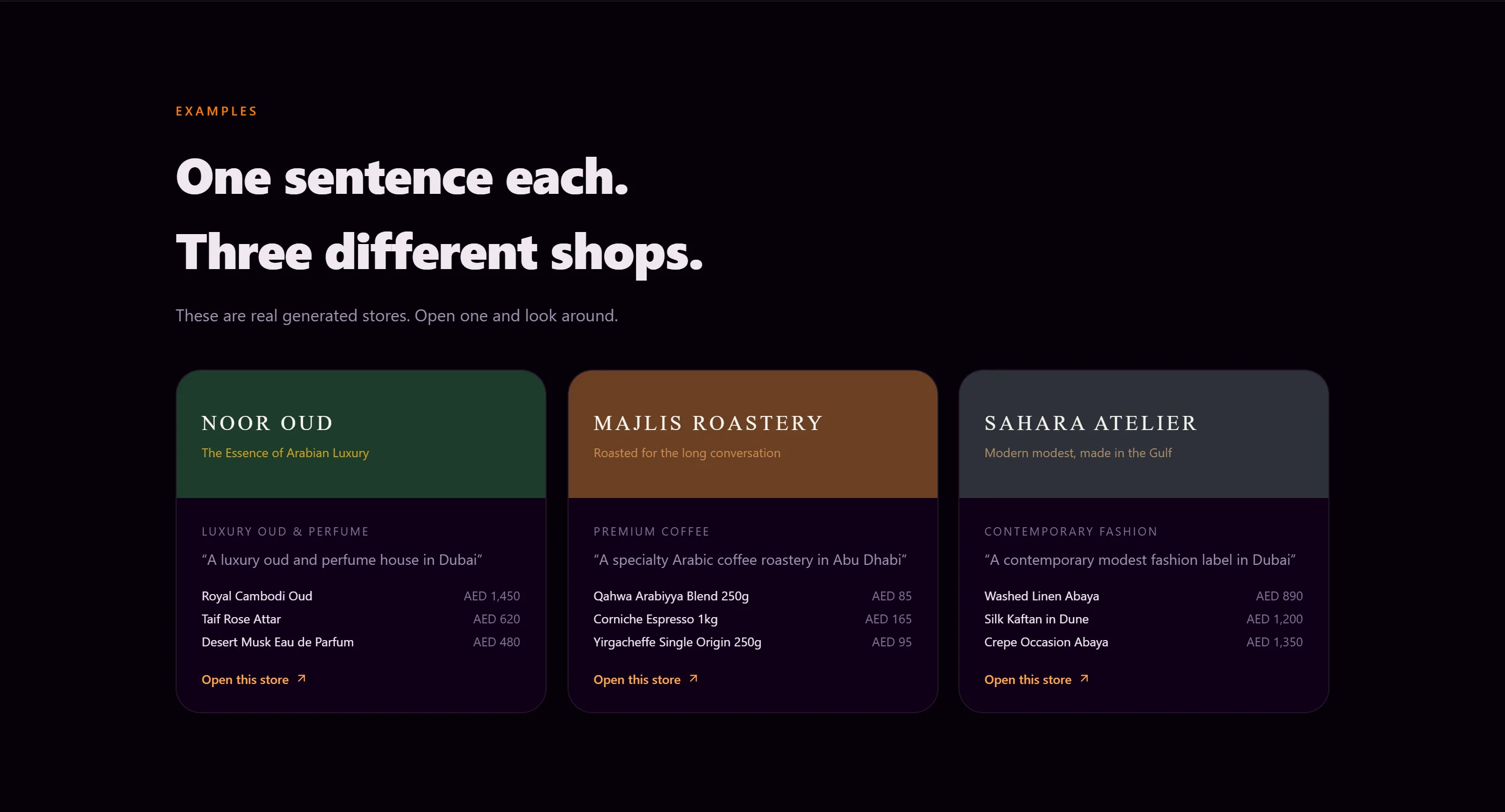
Clicking one opens the shop itself, in its own palette and typography:
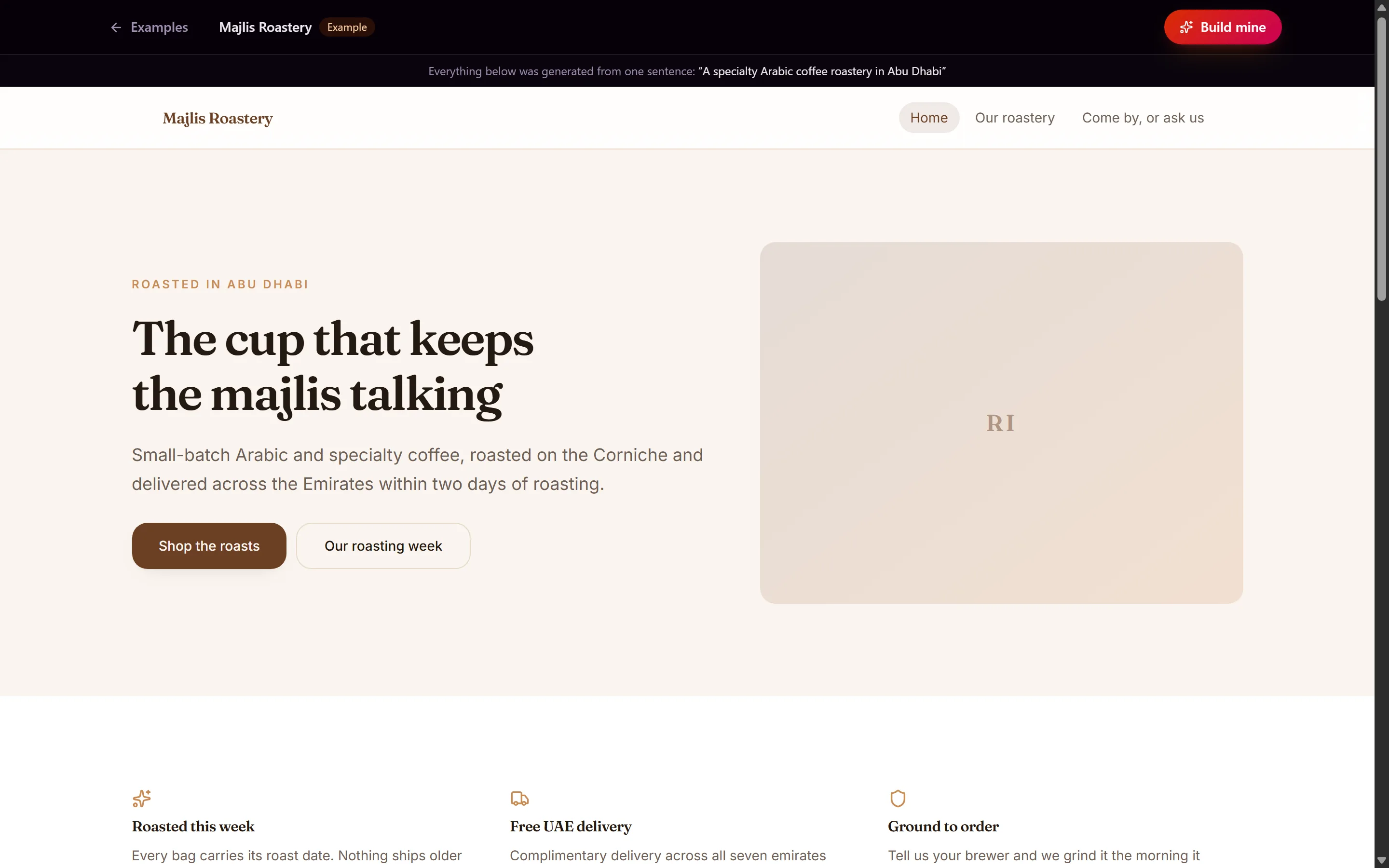
5. Keep what you make
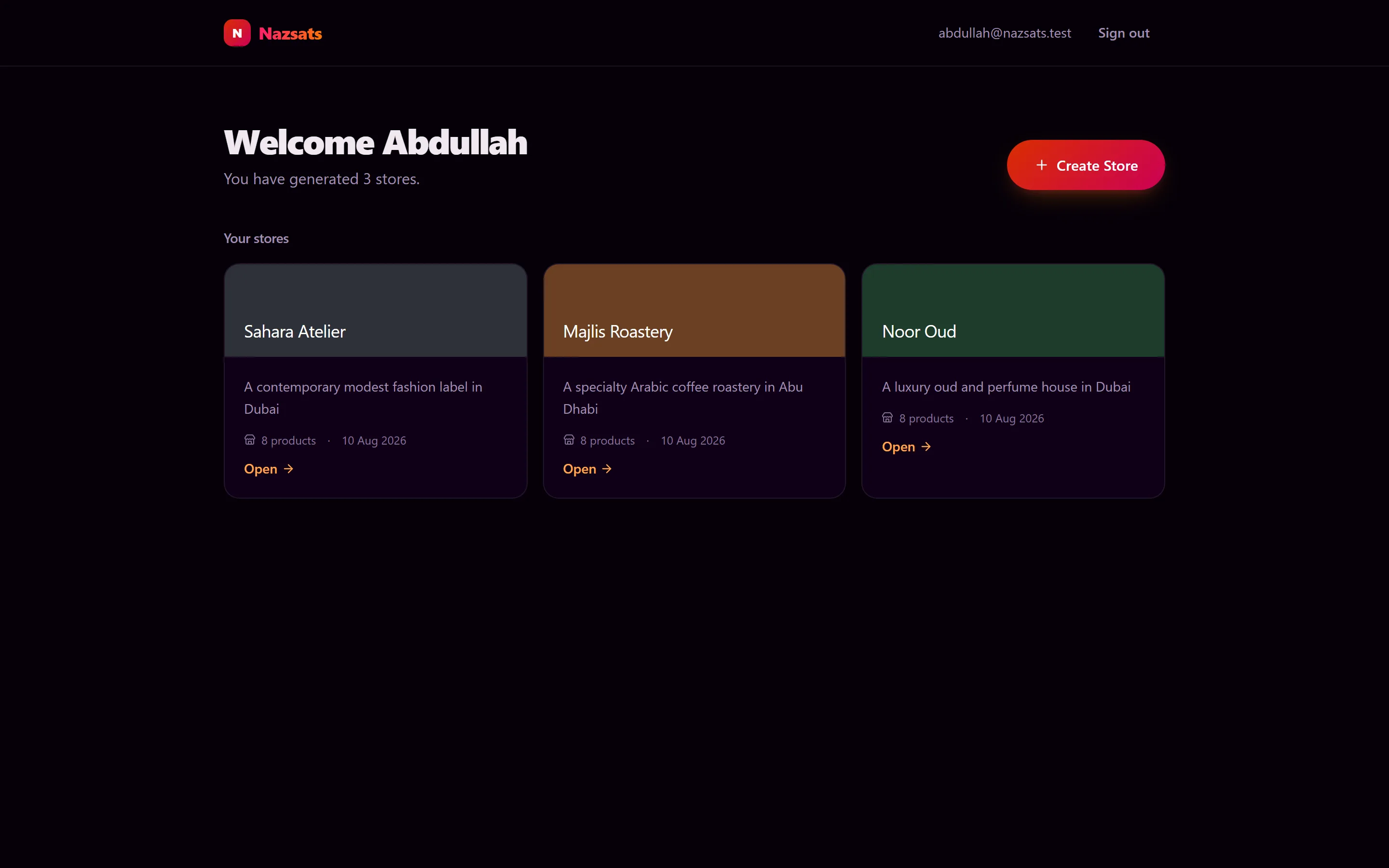
Sign in with Google, and every store you generate is saved to Postgres and listed on a dashboard.
6. It works on a phone
The builder isn't the desktop layout squeezed down. A phone gets two tabs, one pane at a time, and the primary action pinned above the home indicator.
The stack
| Layer | Choice |
|---|---|
| Frontend | Next.js 15.5 · TypeScript (strict) · WebGL globe |
| Backend | NestJS 11 · REST |
| Database | PostgreSQL 16 · Prisma 7 |
| AI | OpenAI structured outputs, behind a provider-agnostic port |
| Validation | Zod — one schema, used by both sides |
| Shape | Monorepo with shared domain packages |
| Tests | 83 passing |
Two choices worth calling out.
Zod as the single validation layer. The same schema validates the model's output, the API request body and the client form. One definition doing three jobs — so a field can't be valid in one place and invalid in another.
A provider-agnostic AI port. The OpenAI call sits behind an interface. That took twenty extra minutes on day one, and it means switching models later is an afternoon rather than a rewrite.
Every screenshot here took one command
Each image above is a real capture of the running application against a production build, taken by
npm run screenshots — a script that drives Chrome, presses the buttons and shoots the result.
Nothing is a mockup. Re-taking the whole set after a design change is one command, which is why the docs are still accurate days later. Hand-taken screenshots rot within a week; scripted ones don't.
If you build anything with a UI worth showing, automate this early. It's an hour of work that keeps paying.
What isn't built
Streaming generation, and RTL support for Arabic. Both matter for a UAE product, and both sit in the roadmap rather than the build.
Twenty seconds of narrated waiting is acceptable; twenty seconds of streamed text would be better. And a storefront aimed at the UAE that can't render right-to-left is, honestly, half-finished for its market.
The thing I keep coming back to is how much the blueprint decision paid for itself. Undo/redo, inline editing, relational persistence, tests that run without an API key, and immunity to prompt-injected markup all fell out of a single choice made in the first hour: the model returns data, and my code owns everything downstream of it.